

Sprunki Sunee Mod
Sprunki Sunee Mod
Related Games
More Games









Sprunki Sunee Mod
What is Sprunki Sunee Mod?
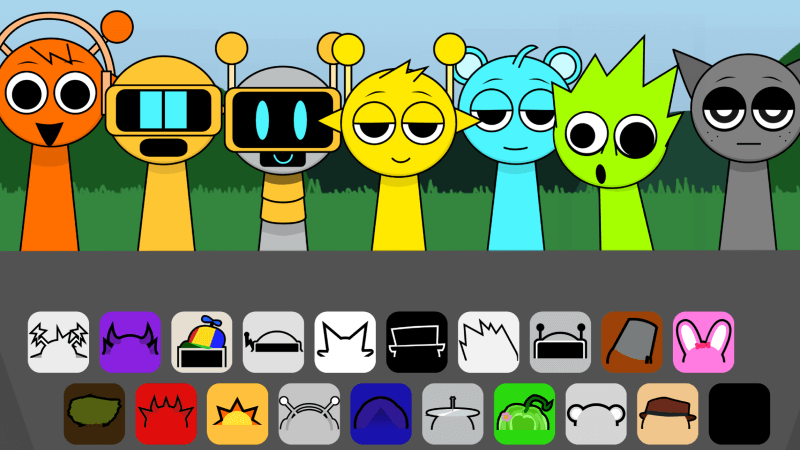
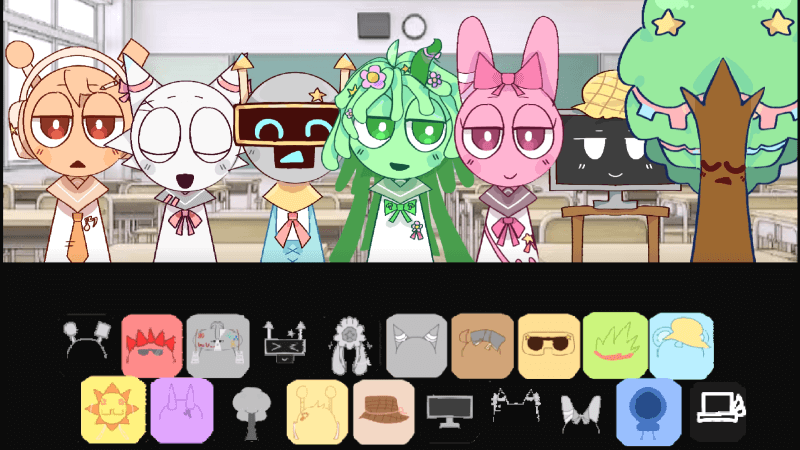
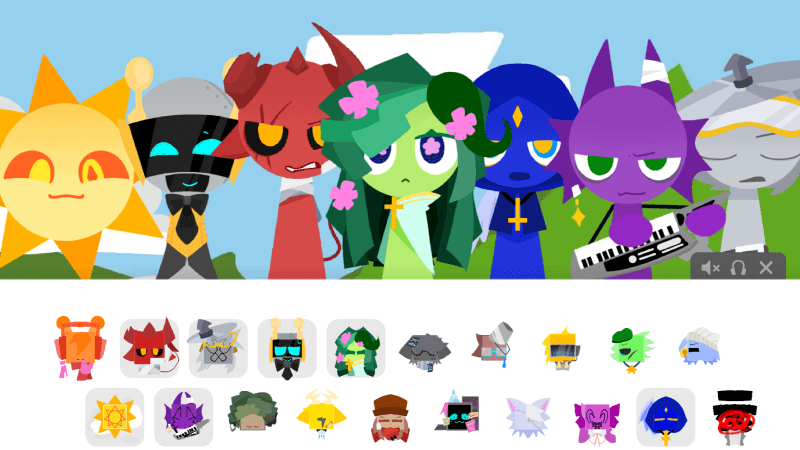
Sprunki Sunee Mod is a browser mixer by SuneeCameraGirl57. Think of it as a rehearsal room rather than a rhythm test. Seven figures stand in a line and the lower half of the screen holds two rows of choices. Assign a tile to an empty figure and the figure turns into a character. The part can then repeat while you make another decision. There is no need to land a note on a beat or to fill all seven slots before listening. A single performer is a sensible starting point, especially when you do not yet know what the other tiles will add.
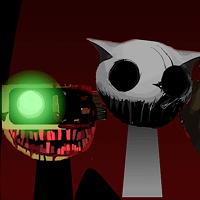
The unusual part of Sprunki Sunee Mod is its cast change. Sunee takes the place associated with Mr. Black in other Sprunki games, and the creator describes this edition as one without a horror mode. That lets you keep working on the same set instead of treating the last tile as a warning. The author also describes Sunee as frequently quiet or, on occasion, echoing Oren. Do not use that tile on its own as your first sound check. Establish an audible part first, then listen to what changes after giving Sunee another place in the cast.
You get more out of Sprunki Sunee Mod by watching the performers and listening to them separately. A change of costume shows that a drop registered even if the sound is not obvious at that exact moment. The opposite can also happen: a strong beat makes a quieter layer hard to pick out. Instead of starting from the assumption that an icon is broken, pause on your current arrangement for a full repeat. If you still want to identify the new part by ear, clear the stage and try it as the first instrument.

What you can do in Sprunki Sunee Mod
- The seven positions let the stage display more than one part at the same time, but the empty gaps are useful too. Put your first tile on the far left and your second somewhere you can see without confusing the two. Leaving a gap makes it easy to locate the next part and compare what you hear against what you just changed.
- In Sprunki Sunee Mod, the colors and silhouettes of the icons are useful memory cues. Rather than filling the lineup as fast as possible, remember one tile from each row that you want to hear again. A quick mental note such as the leftmost orange tile is usually enough to reconstruct an earlier idea when you are using a small cast.
- The upper right circular arrow clears the arrangement. This is useful for comparing the same opening sound to two different partners. Start with the opening tile, add one partner, listen, and clear the cast. Start with that same first tile and choose a different partner. Because one part stays the same, the difference between your two attempts is easier to hear.
- There is room for a deliberately quiet moment in Sprunki Sunee Mod. An open slot, or a character with a subdued response, can give a prominent sound more space. You do not have to treat a crowded stage as better than a sparse one. Try an arrangement that you can follow by ear before deciding whether it needs another layer.
How to play Sprunki Sunee Mod
- Pick one recognizable tile and hold it as you move the pointer across the stage. Release over the body of a gray figure. If you picked up the icon but the figure stayed gray, try a more centered drop on an empty place. Once you have a sound, leave it playing long enough to notice which part of the loop feels most distinctive.
- Give a second figure a different tile. In Sprunki Sunee Mod, it is worth noticing the moment when a second part makes the first easier to hear rather than just louder. If the two sounds are hard to separate, reset and give each one a brief solo run before rebuilding the pair. That takes less guesswork than adding several more tiles.
- Try Sunee only after you have another sound you can recognize. Watch the figure assigned to the new tile and notice how the earlier part carries the mix. The character can look active while contributing little or no new sound; that is different from a whole game that has lost audio. If the entire stage is silent, check an ordinary sound tile first.
- After listening, use the circular arrow to clear the stage. Build the next version with just one changed choice, such as a different starting sound or a less busy second tile. Listen to another repeat before adding a third sound. This simple comparison gives you a more useful sense of the mix than filling every empty figure in one go.