

Sprunki Pyramixed New Update
Sprunki Pyramixed New Update
Related Games
More Games











Sprunki Pyramixed New Update
What is Sprunki Pyramixed New Update?
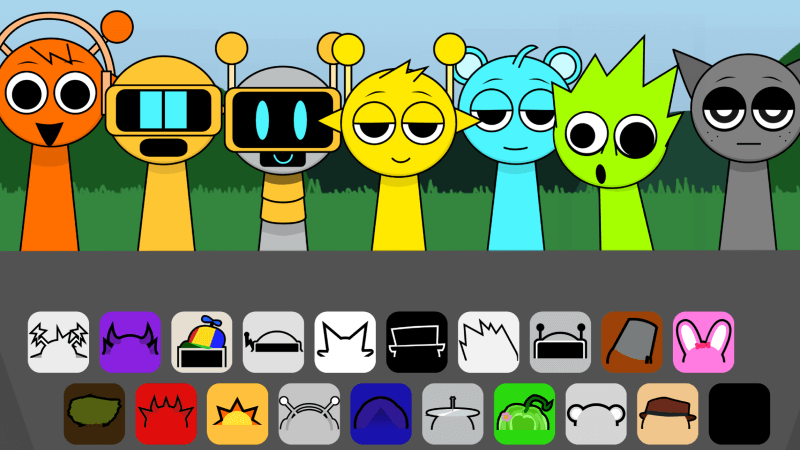
Sprunki Pyramixed New Update is the browser build of a fan reskin that the creator calls Pyramixed, but classic Sprunki! The name is useful when comparing versions: this is a classic-looking take on the Pyramixed setup, not a numbered Phase release. The normal stage has a row of gray figures under a blue sky. Dragging a tile onto one of those figures assigns a loop and changes the figure on stage. Players can make a small arrangement before touching anything else. Start with the sounds you can recognize by ear rather than trying to fill each place on the first pass.
The first screen of Sprunki Pyramixed New Update may show a message from the creator over the performers. This is a layer inside the game, not a failed download or a separate signup. The red line close to the bottom of that message is the way through to the mixing stage. Once the note clears, move your attention to the lower tray. There is a second strip of icons across the top, but it is not a requirement for starting an arrangement. The clear route for a first session is to use the ordinary sound tiles below the performers.

A stage built for comparison
- Nine performer positions in Sprunki Pyramixed New Update give you a lot of space to keep experiments separate. For instance, leave a gap between the first sound and the sound you want to compare it with. The gap has a practical advantage: you can see which gray figure is still free when dragging your next tile. Placing everything next to each other also works; the point of the different positions is to make the current lineup easy to recognize while you listen.
- The colored pictures in the lower tray give Sprunki Pyramixed New Update a visual memory aid. Earphones, a brim, and a pair of horns are easier to identify than a numbered list. Use those outlines to retrace what you tried. If two accompanying parts feel too similar, pick a tile from the other row instead of adding more of the same kind. Listen for whether the new sound fills a pause, doubles an accent, or stands apart from the loops that were already running.
- When you want to restart a Sprunki Pyramixed New Update arrangement, the circular arrow at the upper right is the in-game reset. It is more useful as an editing tool than as a last resort. With a crowded stage it can be difficult to tell which addition changed the feel. Clear the lineup, restore just the first part, and add a different second part. Give the empty performers a moment to settle after the reset before making the next drop.
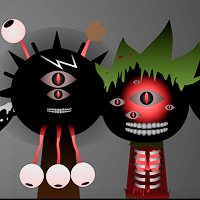
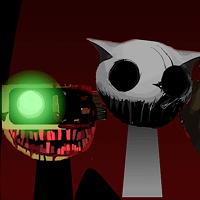
- There is optional horror content in addition to the ordinary stage. That is a separate experience, not a condition for hearing the regular sounds. If you want to keep the bright scene, leave the black top hat near the right edge of the lower tray alone. The rest of this guide describes the ordinary mixing loop. It does not depend on unlocking an extra character or completing a special sequence, and there is no need to try the darker scene before deciding whether the main controls suit you.
How to play Sprunki Pyramixed New Update
- Open the embedded player and allow the game to finish loading. Read or dismiss the opening message using the red line beneath it. Wait until the stage is visible without the dark message overlay. Pick a tile from the lower tray, hold the mouse button, and carry that shape over one of the gray figures. Release over the body rather than through the small gaps between the figures. If the character has not changed, try a deliberate drop closer to the middle of the figure.
- To make a first duet in Sprunki Pyramixed New Update, leave the first sound on the left and choose a second tile for the neighboring figure. Let the first loop run by itself long enough that you can recognize its pulse. After making the second assignment, notice which part still feels like the center of the mix. A strong combination does not have to be loud or dense. A layer that briefly drops out can make the next entrance easier to hear.
- After you have heard two parts together, make a second version of the idea. Keep only a small number of sounds in mind rather than remembering a full arrangement. Try a different shape for the second part, then listen for how it changes the space between notes. If you lose track of which tile is playing, look at the colored performers. That view is useful for telling an assigned slot from a free one, particularly when you have left some space in the middle.
- Use the upper-right reset arrow before starting a fresh Sprunki Pyramixed New Update mix. Look for the gray figures to return and then drag a different tile into the first place. This is a quick way to hear a part you overlooked while the earlier combination was playing. You can stop there, or build another short pair and compare it with the previous one by ear. Avoid the black hat if you want that comparison to stay within the usual bright version of the stage.