
Spainters
Spainters
Spainters
What is Spainters?
Spainters is a Sprunki-inspired music mod by ApenasUmHK. Its opening scene uses a bright sky, green hills, and simple round-faced figures rather than beginning on a horror stage. There are nine places across the wide lineup, so a small arrangement can leave plenty of empty space. Give a figure a sound tile and it takes on that part's appearance while its audio joins the loop. The appeal is in trying a few combinations and hearing how they fit, not in clearing a verified sequence of levels or collecting a promised score.
Spainters also contains an optional horror transition. The black hat at the right of the lower palette is not just another ordinary addition: assigning it changes the scene's tone. Leave that tile alone if you want to stay with the colorful opening setting. This is a regular Sprunki mod with more than one internal mode, not a separately numbered Phase title. The creator describes the project as being in development. The guidance here covers the available basic mixing loop; it does not claim that every bonus, upper control, or hidden feature is finished or has been tested.

Details to notice while mixing
- A wider lineup: Spainters provides nine character positions in its normal scene. You can use the leftmost two for an easy first comparison instead of filling every place immediately. Keeping the arrangement small makes it simpler to recognize which addition changed the rhythm or texture. Empty figures are useful space, not a sign that something is missing from your song. Once you like a pair, try rebuilding it with a different second tile and listen for the contrast. There is no need to turn the first session into a search for a perfect full lineup.
- Recognizable tile outlines: Spainters keeps the ordinary sound choices in two lower rows. Headphones, a cymbal, angular horns, and several hats offer visual landmarks when you return to the palette. Remember a tile's shape as well as its color, since similar colors can be easy to confuse. The assigned figures have a deliberately simple drawing style. Some parts show little visible costume animation, so sound output is a more useful confirmation of a successful placement than expecting every performer to make a large movement. Wait for the loop before deciding a drop did not work.
- A reset for comparisons: Spainters has an arrow control toward the upper right that clears the current arrangement. After using it, wait until the idle figures return before assigning another sound. This gives you a straightforward way to compare a new pair with the one you just heard. It is a fresh start, not a failed level. If you want to reproduce a particular arrangement, remember the tile shapes and their positions. This page does not promise a recording, an exported track, or a saved composition that will be restored after you leave.
- A choice about atmosphere: Spainters lets you remain in its bright opening scene while exploring the normal palette, but it is not completely free of horror content. Avoid the black hat if that change is unwanted. Treat unfamiliar upper controls and bonus areas as extra material rather than necessary steps in this guide. Their complete behavior and unlocking conditions have not been established for this package. If a scene becomes uncomfortable, stop and reload the embedded project to begin again; there is no reason to keep watching a mode you did not enjoy.
How to play Spainters
- Press PLAY GAME to load Spainters, then click the green flag on the opening artwork. Wait until the gray figures, the lower palette, and the upper-right arrow are visible. Choose an empty position near the left end so it is easy to find again. The wide stage contains more room than you need for a first attempt. Do not start with the black hat if you want the bright setting; choose one of the ordinary colored tiles instead.
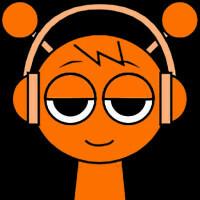
- Hold the orange headphone tile near the left of the upper palette row. Drag it onto the body of the leftmost gray figure and release there. Listen for the repeating part and check that the figure has changed appearance. If nothing attaches, aim within the figure rather than in the gap between two bodies. Use a steady movement instead of a quick click on the tile. A sound can join at a musical boundary, so allow a short listening moment before trying the same placement again.
- Pick another ordinary tile and drop it onto a different empty figure. Compare the combination with the first part alone. You might notice a stronger pulse, a contrasting accent, or a layer that competes with the sound you wanted to hear. Those are listening observations, not fixed musical roles guaranteed for every icon. Stay with two parts until their interaction is clear. Adding more is optional, and a busier arrangement is not automatically more enjoyable than a pair of sounds you can follow.
- Use the arrow at the upper right when you want to start the comparison over. Check that the assigned performers have cleared, then choose a different tile for the next attempt. You can repeat this place, listen, reset, and rebuild loop without exploring the optional horror scene or relying on bonus unlocks. Reloading the player starts another fresh session if necessary. Loading and responsiveness vary with the browser and device; this short functional check is not a guarantee of identical performance on every connection or platform.