
Sprunk-o
Sprunk-o
Sprunk-o
What is Sprunk-o?
Sprunk-o starts with seven simple gray figures, a bright blue sky, and an oversized yellow sun. Their faces use just a few black lines, giving the whole stage a loose, hand-drawn appearance. Under the figures is a white tray containing two rows of colored tiles. Each tile represents a part you can give to an empty performer. Drag one upward and release it on a torso to begin turning that plain lineup into a small musical group. You are arranging repeating parts, not following falling notes or racing through a sequence of keyboard commands.
The original Sprunk-o page is published by frowninglollipop231 and explicitly labels the release as having no horror mode. This is an ordinary music mod rather than a numbered Phase entry. Its tested stage stays sunny while the selected cast changes color, expression, and accessories. Some other listings describe soda-themed systems, puzzles, unlocks, or sharing tools, but those descriptions are not a reliable guide to the controls shown here. Start with the actual tray and the seven available positions. A small arrangement is enough to explore the basic interaction without assuming that a full lineup is a level-completion requirement.

Sprunk-o features
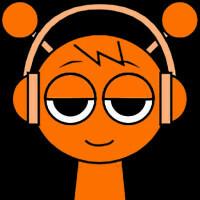
- The clearest introduction to Sprunk-o is the orange tile at the upper-left of the tray. Its outline has two antenna-like ends and leads to an orange performer with rounded headphones. The gray tile nearby creates a character with a wide cymbal above its head. Farther along the lower row, a vivid pink tile produces a long-eared performer. Those shapes provide useful landmarks when learning the interface. Try them in separate positions so their entrances are not hidden behind each other. Give each transformation time to finish before deciding which part to add next.
- Twenty outlined tiles are arranged in two rows of ten, while the stage has seven positions. That difference encourages selection rather than simply placing every available tile. Pick a small group by color or outline and notice how the plain figures gain distinct silhouettes. An occupied figure can look very different from its original round head, especially when a large accessory reaches over a neighboring position. Leaving a gap helps you see what changed. The drawing style remains deliberately simple, so broad colors and recognizable shapes are more useful visual guides than tiny details.
- The circular arrow in the upper-right of Sprunk-o clears the entire arrangement. This is a practical way to compare two lineups from the same empty starting point. Resetting has a visible transition, and the figures or tiles may still be moving just after the click. Wait until the gray cast and the original tray have returned before making another drop. A fresh orange assignment was verified after clearing the stage. Aim low on the torso when rebuilding; releasing between overlapping heads is less dependable than placing the tile clearly inside a figure's body.
- The main scene keeps its attention on character performance rather than a score display or a puzzle selection screen. Facial and body changes help show that a part has joined the arrangement. Watch the first performer briefly, add a second one a few positions away, then decide whether a third makes the group more interesting. You do not need to fill all seven places on every attempt. This guide does not promise a recording studio, exported audio files, online accounts, achievements, or a saved composition. Treat the session as a small place to arrange and compare sounds in the moment.
How to play Sprunk-o
- Launch Sprunk-o with the page's play button and wait for the stage and both rows of tiles. The first transfer includes more than the cover image, so a slower connection can take longer to reach the actual interface. Once the seven figures are visible, choose the orange antenna-shaped tile. Drag it toward the lower torso of the leftmost empty figure and release there. A small copy of the tile can remain attached to the body during its entrance. Wait for the full colored performer rather than immediately repeating the same drag over an animation already in progress.
- Add the gray cymbal tile to a position farther across the lineup. Keeping an empty figure between your first two choices makes their separate shapes easier to follow. After that performer has appeared, try the pink long-ear tile in another empty position. Watch the group for a moment before changing anything else. If the tile remains in the tray and no entrance begins, aim more clearly at the lower body on your next attempt. A deliberate drop is easier to judge than several quick gestures across neighboring heads, especially when their outlines overlap.
- To begin a different Sprunk-o arrangement, select the circular arrow at the upper-right of the game itself. Allow the clearing animation to complete, then confirm that the gray figures and selectable tiles have returned. Start again with one familiar part before trying a different second choice. This gives you a recognizable reference instead of changing everything at once. Remember which tile outlines you used if you want to rebuild the idea later. The reset is for clearing the current group, not for advancing to another numbered stage or unlocking an advertised reward.
- Keep the volume comfortable while trying an unfamiliar combination. Focus on two or three parts first, then use the remaining space only when you want a fuller group. The creator's non-horror label and the sunny tested scene make this a lighter alternative to darker mods, but they are not a formal age rating or a guarantee about every possible combination. If you leave or reload the page, do not rely on a promised saved song. Return to the tray, choose the shapes you recognize, and rebuild a short arrangement at a pace that makes each change easy to hear and see.